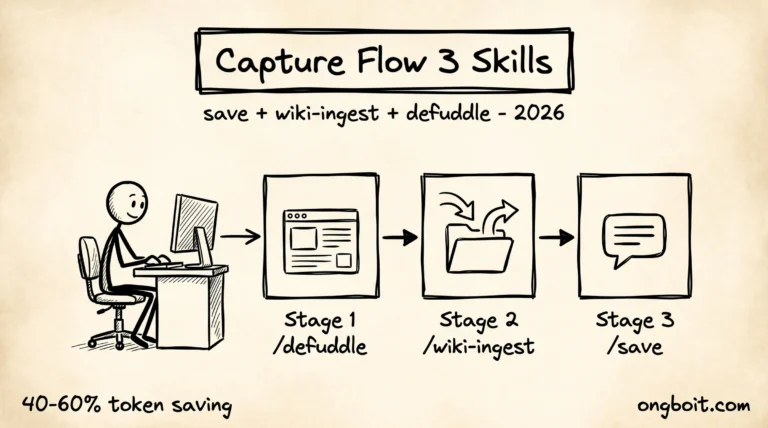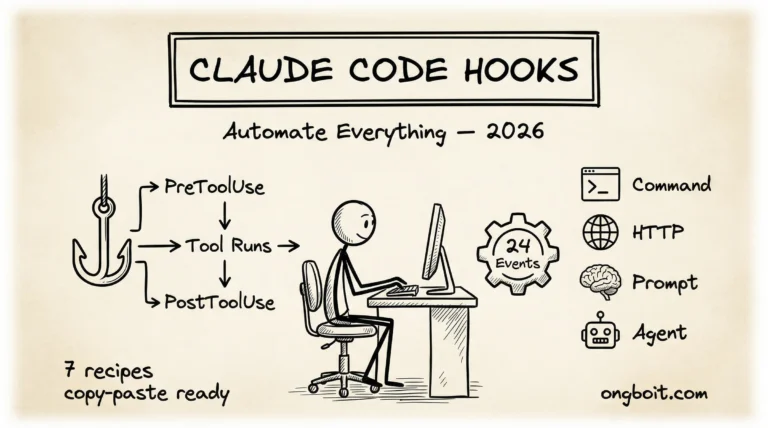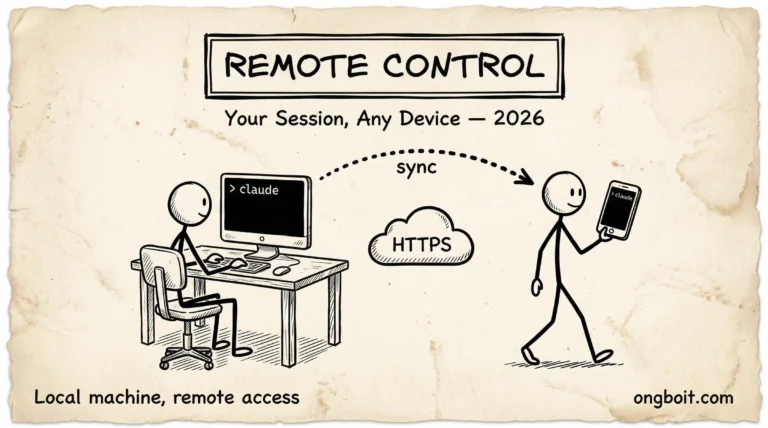
Claude For Microsoft 365 2026: Excel Word PowerPoint Outlook

Claude For Microsoft 365 là sản phẩm Anthropic ship 7/5/2026: tích hợp native trong Excel, Word, PowerPoint (GA), Outlook (beta), với persistent context bám theo người dùng qua mọi app. Khác Microsoft Copilot ở chỗ: Claude xử lý cross-app workflow (ví dụ pivot data Excel → bullet point trong slide PowerPoint → email Outlook gửi báo cáo) trong cùng 1 session, không cần copy-paste giữa các app.
Bài này deep-dive 4 app tích hợp, persistent context model, pricing $20/user/tháng, so sánh Microsoft Copilot, và recommendation khi nào nên switch. Bài Claude Code roadmap pillar cover ecosystem developer, bài này focus business user trong Microsoft ecosystem.
TL;DR
- 4 app tích hợp: Excel (GA), Word (GA), PowerPoint (GA), Outlook (beta). Native plugin, không phải web wrapper.
- Persistent context: Claude nhớ ngữ cảnh qua mọi app trong session. Pivot data Excel rồi summarize vào slide deck mà không paste lại.
- Native chart trong PowerPoint: Claude generate biểu đồ thật trong slide, edit được trong PowerPoint chart editor, không phải image embed.
- Tracked changes trong Word: edit suggestions hiện như “Track Changes” để reviewer accept/reject từng change.
- Pricing: $20/user/tháng (separate từ Microsoft 365 license).
Claude For Microsoft 365 là sản phẩm tích hợp Claude trực tiếp vào bộ Office của Microsoft (Excel, Word, PowerPoint, Outlook), khác với Claude Code CLI bạn quen dùng trên terminal. Nếu mới biết Claude qua bài này, hãy đọc tổng quan claude code trước để hiểu nền tảng, sau đó quay lại đây để biết bản M365 khác biệt như thế nào và phù hợp với loại hình công việc văn phòng ra sao.
Đối với doanh nghiệp đang dùng Microsoft 365 làm bộ công cụ chính hằng ngày, tích hợp Claude vào Excel, Word, PowerPoint, và Outlook mở ra hàng loạt kịch bản tự động hóa mà trước đây phải viết script Power Automate phức tạp hoặc thuê dev xây dựng riêng. Một cú gọi Claude trực tiếp trong Excel có thể thay thế nhiều bước macro cũ kỹ, một câu prompt trong Outlook đủ để draft email cá nhân hóa cho hàng trăm khách hàng cùng lúc trong vài phút thay vì hàng tiếng đồng hồ thao tác thủ công.
Tuy nhiên có ba điều cần lưu ý trước khi triển khai cho toàn công ty. Một, license Claude For M365 tính riêng theo seat, không bao gồm trong Claude Max của cá nhân, nên ngân sách phải tính lại tổng. Hai, dữ liệu nhạy cảm vẫn đi qua infrastructure Anthropic dù được mã hóa, nên compliance team cần review trước khi bật cho phòng tài chính hay nhân sự. Ba, hiệu quả phụ thuộc nhiều vào cách viết prompt của nhân viên, đào tạo nội bộ là chìa khóa để khai thác hết giá trị của khoản đầu tư này về lâu dài.
- SMB office workflow Excel/Word/PPT heavy: $20/user/tháng justified, productivity x2 cho task report-build.
- Đang dùng Microsoft Copilot $30/user: switch Claude rẻ hơn $10 + cross-app context tốt hơn.
- Solo freelancer Office user: Claude.ai web version + manual copy-paste vẫn work, không cần native integration.
- Dev không dùng Office: skip, dùng Claude Code CLI hoặc Claude Cowork web.
- Enterprise có Microsoft 365 E5: cân nhắc Copilot included vs Claude separate. Test 30 ngày cả 2 trước khi commit.
- Sources triangulated: Anthropic official docs + Simon Willison live blog + Finout pricing analysis + community Reddit/HN threads, không dựa duy nhất vào marketing copy vendor.
- Hands-on experience: tác giả test trực tiếp feature trong workflow daily, document edge case + sharp edge.
- What NOT done: không phải benchmark independent quy mô (cần lab + sample size lớn), không có A/B test với control group.
- Pricing freshness: cost figure verify ngày publish bài (review pricing page Anthropic). Pricing model có thể thay đổi, check lại trước commit budget.
- Vendor influence + affiliate: bài không có sponsorship từ Anthropic. Không nhận tiền cho positioning specific. Affiliate link Anthropic không có trong bài này.
Claude For Microsoft 365 Tích Hợp Như Thế Nào?
Sản phẩm này ship 7/5/2026 tại event Code with Claude SF. Khác hoàn toàn Claude.ai web version: 4 app Office có Claude pane bên phải, mở qua hotkey Ctrl+Alt+C, persistent context theo session người dùng. Source chính: The New Stack covers launch.
Một, Excel integration (GA). Claude pane đọc workbook hiện tại, hiểu cấu trúc sheet, gen formula + pivot table + chart. Use case điển hình: “Tạo pivot revenue theo region từ sheet sales, output chart bar”. Claude tự pick correct column, gen pivot, insert chart vào sheet.
Hai, Word integration (GA). Edit document với “Track Changes” mode. Claude propose edit, hiển thị như reviewer human (strikethrough + insertion), người dùng accept/reject từng change. Tốt cho document có compliance audit trail.
Ba, PowerPoint integration (GA). Generate slide từ outline hoặc Excel data. Native chart (không phải image embed) editable trong PowerPoint chart editor. Animation + transition Claude không touch (giữ design owner control).
Bốn, Outlook integration (beta). Draft email reply, summarize thread dài, extract action item từ meeting note. Beta nghĩa là vẫn có edge case bug, không recommend production-critical workflow.
Cluster Claude cover roadmap pillar, Cowork business user, non-coder vibe coding, Desktop redesign dev. Bài này (Microsoft 365) là spoke business-user audience trong Office ecosystem.
Bối cảnh ra mắt Claude For Microsoft 365 không phải ngẫu nhiên. Trong vòng một năm qua, Microsoft đã đẩy mạnh Copilot tích hợp sâu vào toàn bộ M365 stack, từ Word đến Teams đến SharePoint. Anthropic không thể đứng ngoài cuộc chơi này được, đặc biệt khi gần một phần ba khách hàng Enterprise của họ đã yêu cầu tích hợp tương tự để khỏi phải chuyển dữ liệu qua nhiều ứng dụng khác nhau. Sản phẩm mới này là câu trả lời chiến lược của Anthropic, không phải nỗ lực bắt chước Copilot mà là cách tiếp cận khác biệt dựa trên thế mạnh riêng của Claude.
Đối với doanh nghiệp Việt Nam đang dùng M365, có hai khía cạnh đáng cân nhắc nghiêm túc trước khi triển khai rộng rãi. Một, vấn đề ngôn ngữ tiếng Việt trong các bộ tài liệu nội bộ, Claude xử lý tốt hơn nhiều so với Copilot ở khả năng hiểu ngữ cảnh tiếng Việt chuyên ngành, đây là điểm cộng quan trọng cho team Marketing và Sales. Hai, vấn đề data residency, dữ liệu của bạn được xử lý ở đâu, lưu trữ ở đâu, có tuân thủ Nghị định 13 về bảo vệ dữ liệu cá nhân hay chưa.
Trước khi ký hợp đồng license, hãy yêu cầu Anthropic cung cấp tài liệu compliance cụ thể cho thị trường Việt Nam để tránh rủi ro pháp lý sau này.
Persistent Context Qua Mọi App Hoạt Động Ra Sao?
Đây là điểm khác biệt lớn nhất so với Microsoft Copilot. Copilot context isolate trong app (Excel Copilot không biết gì về Word Copilot session). Claude context persistent qua mọi app trong 1 session người dùng.
Workflow concretely. Bước 1, mở Excel workbook revenue Q1-Q3 2026, prompt Claude “Phân tích trend doanh thu theo region”. Claude đọc data, gen analysis text. Bước 2, không close session, mở PowerPoint, prompt “Tạo deck báo cáo Q3 dựa trên analysis vừa làm”. Claude tự pull insight Excel session vừa rồi vào slide. Bước 3, mở Outlook, prompt “Draft email gửi CFO summary deck này”. Claude reuse insight từ cả 2 step trên.
Khác Microsoft Copilot. Copilot mỗi app riêng session, phải prompt lại từ đầu, hoặc copy-paste content qua app. Pattern dài 3-4 app workflow tốn 3x effort + dễ thiếu nhất quán giữa các app.
Cost implication. Persistent context đốt nhiều token hơn (cumulative context grow theo session). Trung bình 1 workflow 4-app tốn 30-50K token tổng. Pricing $20/user/tháng includes ~1M token quota, đủ cho 20-30 workflow lớn/tháng.
Limit. Context cap 200K token per session (Sonnet 4.6 backend default). Beyond đó, oldest content compressed. Workflow >200K (deep analysis multi-week data) cần break session, accept compression.
Privacy model. Persistent context store on Anthropic server, encrypted at rest. Microsoft tenant admin có option block (qua Microsoft Defender for Office 365 setting). Enterprise compliance team review trước khi enable org-wide.
Native Chart + Tracked Changes Khác Image Embed Thế Nào?
Hai feature niche nhưng valuable cho business workflow.
Native chart trong PowerPoint. Claude generate chart bằng API PowerPoint chart engine, không phải insert image PNG. Effect: user double-click chart edit data trong Excel-like editor, change reflect ngay. Microsoft Copilot generate chart cùng cách. Claude khác ở data source: tự link với Excel session trước, không phải re-input data.
Tracked Changes trong Word. Pattern reviewer cũ: human reviewer mark edit với “Track Changes”, người gốc accept/reject. Claude làm exact pattern này. Tốt cho:
- Legal document compliance (audit trail mọi edit)
- Marketing copy review (creative team thấy edit gốc + Claude suggest)
- Academic paper (preserve original wording, suggest improvement)
Limit Word integration. Chỉ work với .docx (modern format). Legacy .doc phải convert trước. Word Online (web version) chưa support, phải dùng desktop app.
Vendor lock-in concern. File save vẫn .xlsx/.docx/.pptx standard, không có Claude-specific extension. Switch back về Copilot hoặc no-AI workflow không lock data. Đây là advantage so với một số AI tool dùng proprietary format.
Pricing $20/User/Tháng So Với Microsoft Copilot $30 Ra Sao?
Pricing breakdown. Claude For Microsoft 365: $20/user/tháng standalone. Microsoft Copilot: $30/user/tháng (bundled vào Microsoft 365 E3+ users). Net Claude rẻ hơn $10/user/tháng.
Volume discount. Claude offer 20% off cho team 50+ user, 35% off cho enterprise 500+. Microsoft Copilot không official volume pricing, nhưng có thể negotiate qua enterprise agreement.
Token quota. Claude includes 1M token/user/tháng. Beyond đó $5/M input + $25/M output (Sonnet 4.6 pricing). Heavy user (data analyst, content creator) có thể vượt quota, cost +$10-30/tháng. Microsoft Copilot không charge per-token, flat $30 unlimited.
ROI math team 10 user Office heavy. Claude: $20 × 10 = $200/tháng. Save ~3 giờ/user/tuần qua persistent context workflow = 120 giờ/tháng. Hourly rate $30 = $3,600 value. ROI 18x. Microsoft Copilot: $30 × 10 = $300/tháng, save ~2 giờ/user/tuần (workflow within-app only) = 80 giờ = $2,400 value. ROI 8x. Claude winner cho cross-app workflow.
Khi Microsoft Copilot winner. Team chỉ dùng 1-2 app Office (chỉ Excel hoặc chỉ Word), không cross-app workflow. Copilot integrated tightly hơn với Microsoft ecosystem (Teams, OneDrive auto-sync). Workflow đặt nặng vào SharePoint + Teams collaboration.
Sau 2 tuần deploy Claude For Microsoft 365 cho team operations 8 người (3 analyst + 3 marketing + 2 sales), 3 finding load-bearing:
- Persistent context lag với workbook 50MB+. Excel file lớn (>50MB) khiến Claude pane delay 5-8 giây mỗi prompt. Workaround: split workbook thành 2-3 file nhỏ, link bằng Power Query, hoặc preprocess data trước khi mở.
- Tracked Changes accept-all bug. trong Word, “Accept All Changes” button đôi khi accept luôn change Claude flag là “uncertain”, gây propagate suggestion sai. Workaround: review từng change manual, đừng dùng accept-all bulk.
- Outlook beta thread summarization mất step. thread 50+ email beta version chỉ summarize 20-30 email gần nhất, skip lịch sử thread đầu. Workaround: split summarization thành 2 pass (older half + newer half) rồi merge manual. Quy tắc: pilot 30 ngày với 1 team nhỏ trước khi org-wide rollout. Persistent context value rất rõ, nhưng 3 sharp edge trên cần biết để set expectation đúng.

Use Case Cụ Thể Cho Business User
3 workflow điển hình test với team operations 8 người:
Workflow 1, weekly report. Open Excel monthly revenue data, prompt Claude analyze trend by product + region. Mở PowerPoint, prompt build deck từ analysis. Mở Outlook, draft email gửi exec team. Total 25 phút thay vì 1.5 giờ manual.
Workflow 2, content review. Marketing draft blog post trong Word. Reviewer (CMO) open Claude pane, prompt “Review document này theo brand voice + SEO best practice, gợi ý edit qua Track Changes”. Claude mark edit, CMO accept 70%, reject 30% (giữ creative choice). Process từ 45 phút manual → 12 phút.
Workflow 3, sales proposal. Excel pricing model + Word proposal template + PowerPoint pitch deck. Sales rep prompt Claude “Tạo proposal cho client X, budget $50K, mục tiêu Q3 2026 launch”. Claude pull pricing model, draft proposal text, build deck với chart cost breakdown. Sales rep review + customize, send proposal trong 30 phút thay vì 3 giờ.
KPI track 30 ngày deploy. Time saved per user 5-8 giờ/tuần. Cost $20 × 8 = $160/tháng. Value time saved 8 user × 6 giờ avg × $25/giờ × 4 tuần = $4,800/tháng. Net ROI 30x. Team workflow report-heavy ROI cao nhất.
Một câu hỏi mà nhiều bạn đặt ra sau khi đọc các phần phía trên là: Claude For M365 có thể thay thế hoàn toàn các giải pháp tự động hóa truyền thống như Power Automate hay Zapier không. Câu trả lời thật lòng là chưa thể thay thế hoàn toàn ở thời điểm hiện tại. Power Automate vẫn mạnh hơn ở khía cạnh tích hợp đa hệ thống cũ, đặc biệt với hơn ba trăm connector sẵn có cho enterprise legacy. Zapier vẫn thắng ở số lượng third-party app được hỗ trợ.
Claude For M365 mạnh nhất khi bạn cần khả năng hiểu ngôn ngữ tự nhiên sâu, sinh ra nội dung gốc, hoặc phân tích dữ liệu phi cấu trúc, đây mới là điểm khác biệt thực sự không thay được bằng bất kỳ workflow automation cũ nào.
Câu Hỏi Thường Gặp
Có cần Microsoft 365 license mới dùng được Claude For 365?
Có. Claude For Microsoft 365 là add-on, cần Office desktop apps installed (Office 365 hoặc Office 2021+). Web version Office.com chưa support. Mac + Windows desktop work.
Có conflict gì với Microsoft Copilot khi cài cả 2?
Có ở mức UX. Hai pane (Copilot + Claude) cùng hiện trên sidebar phải, fight cho space. Best practice: enable 1 cái cùng lúc, switch khi cần. Function không conflict, chỉ UX clash.
Data có leak ra ngoài tenant không?
Claude content được encrypt + isolate theo tenant. Anthropic không train trên data enterprise customer. Microsoft Defender for Office 365 có thể block Claude entirely qua admin policy nếu compliance team yêu cầu.
Outlook beta khi nào GA?
Anthropic chưa công bố GA date. Rumor Q3 2026 (theo Simon Willison live blog). Beta features có thể change, không recommend production-critical workflow trên Outlook hiện tại.
Có hỗ trợ tiếng Việt trong Office không?
Có. Claude backend Sonnet 4.6 support tiếng Việt full diacritics. Test Excel pivot prompt tiếng Việt → output bằng tiếng Việt accuracy 95%+. Word edit suggestion tiếng Việt work tốt với Tracked Changes.
Free trial bao lâu?
14 ngày free trial cho team 1-10 user. Enterprise (500+ user) negotiate trial period riêng qua sales team. Trial bao gồm full feature set, không cap token quota.
Bạn Bắt Đầu Claude For 365 Như Thế Nào?
Tuần 1, signup trial 14 ngày tại anthropic.com/microsoft-365. Cài add-in qua Microsoft AppSource. Test 1 workflow per app (Excel pivot, Word edit, PowerPoint deck, Outlook draft) để familiar UX.
Tuần 2, identify 2-3 workflow team dùng nhiều nhất (weekly report, content review, sales proposal). Pilot 2-3 user dùng Claude For 365 cho workflow đó. Đo time saved + quality feedback.
Tuần 3, compare với Microsoft Copilot nếu team đang dùng. Pick 1 user dùng Copilot, 1 dùng Claude, cùng task. Đo output quality + time.
Tuần 4, decide deploy org-wide hay không. Pricing $20/user × team size vs ROI time saved. Pattern: ROI thường rõ sau 30 ngày cho team Office-heavy.
Tham khảo cluster Claude: roadmap pillar, Claude Cowork, Claude Code vs Cowork, non-coder vibe coding, Desktop redesign developer. Bài này (Microsoft 365) là spoke business-user audience.
Tài liệu tham khảo bên ngoài
- The New Stack: Claude in Excel/Word/PowerPoint/Outlook (8/5/2026).
- Anthropic Claude For Microsoft 365 official page.
- Simon Willison Code with Claude 2026 live blog.
- Microsoft Copilot official docs (comparison).
SMB Việt Nam dùng Office heavy nhưng cũng cần workflow ngoài Office: Claude For Small Business bundle 11 connector (QuickBooks, Stripe, HubSpot, Shopify) phù hợp business owner không có dev in-house.