Obsidian Là Gì? Note-Taking Local-First Cho Developer 2026

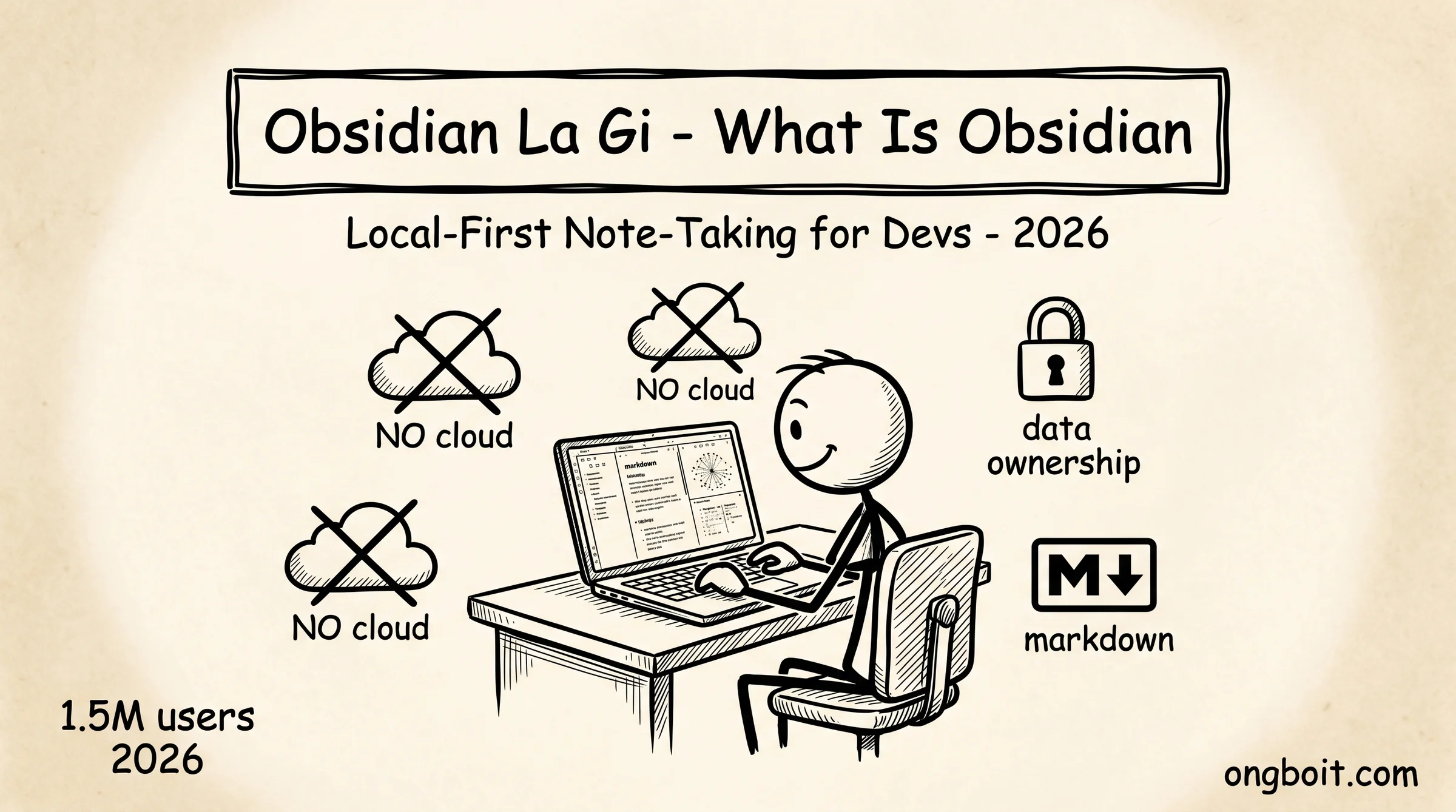
Obsidian là gì? Obsidian là ứng dụng note-taking local-first dùng markdown thuần, đạt 1.5 triệu người dùng tích cực hàng tháng vào 2026 với tốc độ tăng trưởng 22% mỗi năm. Khác hoàn toàn với Notion (cloud-first, $10-15/user/tháng), Obsidian lưu mọi note dưới dạng file markdown trên máy bạn, miễn phí trọn đời, kèm hệ sinh thái 2,500+ community plugins. Ngân sách developer freelance hoặc startup không cần đầu tư subscription, vẫn có công cụ note-taking mạnh hơn Notion ở nhiều khía cạnh.
Bài này giải thích Obsidian từ góc nhìn developer năm 2026: lý do 1.5 triệu người chuyển từ Notion sang Obsidian, kiến trúc local-first khác cloud thế nào, plugin ecosystem làm được gì, và khi nào Obsidian KHÔNG phải lựa chọn tốt. Bài này focus vào hiểu Obsidian standalone, các bài khác trong cluster cover setup integration với Claude Code, kiến trúc memory pattern, và templates copy-paste cụ thể.
TL;DR
- Obsidian là note-taking app local-first dùng markdown thuần, đạt 1.5 triệu người dùng tích cực hàng tháng 2026, tăng trưởng 22%/năm. Miễn phí trọn đời core app.
- Khác Notion: Obsidian lưu file trên máy bạn (data ownership 100%), Notion lưu cloud. Obsidian $0 core, Notion $10-15/user/tháng. Obsidian 2,500+ plugin community vs Notion ecosystem nhỏ hơn.
- Phù hợp developer: data ownership cho NDA compliance, miễn phí cho freelance/startup ngân sách thấp, plugin ecosystem extensible, AI-ready với Claude Code integration.
- Hạn chế: real-time collaboration kém (no co-editing), team feature thiếu, mobile sync cần setup, learning curve cao hơn Notion.
Obsidian Là Gì?
Obsidian là ứng dụng note-taking và personal knowledge management chạy local-first, lưu mọi note dưới dạng file markdown thuần trên máy bạn. Ra mắt công khai năm 2020 bởi Erica Xu và Shida Li trong giai đoạn giãn cách COVID-19, Obsidian phát triển không nhận venture capital, hoàn toàn user-supported, vẫn được update tích cực với version 1.12 ra mắt tháng này.
Obsidian xử lý notes như wiki có hyperlink. Mỗi note là một file .md trên ổ cứng. Bạn link giữa các note qua wikilinks [[ten-note]], tạo mạng lưới kiến thức cá nhân tự kết nối. Graph view của Obsidian visualize toàn bộ network notes như đồ thị nodes + edges, giúp bạn thấy được pattern trong kiến thức tích lũy.
Triết lý cốt lõi của Obsidian: dữ liệu thuộc về user. Vault Obsidian là một thư mục chứa file markdown trên máy bạn, không phải cloud. Bạn có thể mở vault bằng VS Code, Sublime Text, hoặc bất kỳ text editor nào nếu Obsidian biến mất ngày mai. Tính năng Sync ($4/tháng tùy chọn) chỉ là giải pháp cross-device, không phải dependency.
Vì Sao 1.5 Triệu Người Dùng Obsidian Thay Notion?
1.5 triệu người chọn Obsidian thay Notion vì 4 lý do chính. Một, data ownership thực sự. Notion lưu mọi thứ trên cloud server của họ, có thể đọc nội dung của bạn theo terms of service. Obsidian không thể đọc nội dung vì file ở trên máy bạn. Đối với developer làm freelance contract NDA, đây là lý do duy nhất quan trọng.
Hai, chi phí dài hạn. Notion plan team $10-15/user/tháng, sau 5 năm bạn trả $600-900 cho mỗi user. Obsidian core $0 vĩnh viễn. Plus add-on optional Sync ($4/tháng) nếu cần multi-device. Tổng chi phí 5 năm tối đa $240 vs Notion $600-900. Cho startup hoặc dev solo, savings này rất đáng kể.
Ba, plugin ecosystem mạnh mẽ. 2,500+ community plugins tính đến tháng 4/2026, tổng download vượt 150 triệu lượt. Plugin cover gần như mọi use case có thể nghĩ đến: Dataview (database queries), Templater (template engine), Excalidraw (sketching), Calendar (date navigation), Obsidian Git (version control), Smart Connections (AI RAG). Notion ecosystem nhỏ hơn nhiều và phải dùng tích hợp 3rd party qua API.
Bốn, AI-ready. Đầu 2026, kết nối Claude Code (Anthropic CLI agent) với Obsidian qua MCP (Model Context Protocol) trở thành pattern phổ biến. Bài Karpathy LLM Wiki story trên ongboit cover chi tiết tweet 16 triệu views châm ngòi xu hướng này. Notion AI có nhưng locked vào Notion ecosystem, không bring-your-own-AI được.
Local-First Và Markdown Thuần Khác Notion Ra Sao?
Local-first nghĩa là dữ liệu sống trên thiết bị của bạn trước, sync lên cloud sau (hoặc không sync). Khi bạn mở Obsidian không có internet, mọi tính năng vẫn hoạt động bình thường: tạo note, search, edit, link. Notion cloud-first thì offline mode hạn chế, một số tính năng cần internet.
Markdown thuần là format text bạn có thể đọc bằng mắt thường mà không cần app render. File note.md trong Obsidian giống file note.md của bạn save từ VS Code, identical. Ngược lại, Notion lưu data dưới format JSON proprietary, export ra markdown được nhưng bạn mất các block đặc thù (database, sync block, embed).
So sánh nhanh 6 chiều:
| Chiều | Obsidian | Notion |
|---|---|---|
| Storage | Local file markdown trên máy | Cloud server Notion |
| Format | Plain markdown chuẩn CommonMark | JSON proprietary |
| Offline | Full functionality | Limited |
| Pricing core | $0 forever | Free tier limited, team $10-15/user |
| Plugin ecosystem | 2,500+ community plugins | Smaller, integration via API |
| Real-time co-edit | Không (cần plugin Sync) | Yes built-in |
| AI integration | Bring-your-own (Claude Code, Cursor, Gemini) | Notion AI locked |
| Database features | Bases (2026 release) | Native robust databases |
Một insight quan trọng: Obsidian và Notion không cùng một category. Obsidian là personal knowledge management tool. Notion là all-in-one workspace cho team. So sánh trực tiếp như so sánh editor (Obsidian) với CMS (Notion). Mình dùng cả hai: Obsidian cho personal research và blog, Notion cho team docs công ty. Mỗi tool có sweet spot riêng.
Plugin Ecosystem 2,500+ Làm Được Gì?
Plugin Obsidian extend functionality core app theo gần như mọi hướng có thể. 2,500+ plugin community chia thành 8 nhóm chính: writing tools, database, automation, sync, AI, visualization, themes, integration.
Top 10 plugin được developer dùng nhiều nhất:
- Dataview. query frontmatter metadata như database, render bảng và list
- Templater. template engine với JavaScript embedding
- Obsidian Git. auto-commit và push vault lên GitHub
- Excalidraw. sketch và whiteboard mind-map
- Calendar. navigation theo daily/weekly notes
- Periodic Notes. auto-create daily/weekly/monthly notes
- Advanced Tables. markdown table editor mạnh
- Obsidian Charts. render chart từ data
- Smart Connections. AI RAG chat với vault
- Tasks. todo system với due dates và recurring
Bài 12 plugin must-have cho dev đào sâu từng plugin với setup chi tiết. Bài này chỉ giới thiệu high-level ecosystem.
Plugin official từ Obsidian team có 30+ core plugin (Sync, Publish, Bases, etc) được duy trì bởi team gốc. Community plugins có third-party developers tạo và maintain. Cộng đồng Obsidian rất tích cực, plugin được update thường xuyên, ít plugin abandoned. Khi cài plugin, check stars + last commit date trên GitHub trước.
Một số plugin đặc biệt quan trọng cho AI workflow 2026: 11 skills của AgriciDaniel/claude-obsidian plugin cho Claude Code integration. Smart Connections cho RAG chat. Various MCP server plugins cho multi-AI agent access. Đây là layer mới chỉ xuất hiện 2026, signal Obsidian đang dẫn đầu xu hướng AI-ready note-taking.
Obsidian Phù Hợp Developer Ở Chỗ Nào?
Obsidian phù hợp developer vì 5 đặc điểm match nhu cầu cụ thể của thị trường này. Một, miễn phí cho cá nhân. Developer freelance hoặc startup ngân sách thấp không cần đầu tư subscription tools. Một laptop + Obsidian là đủ build personal knowledge base trong 5 năm.
Hai, NDA compliance cho freelance contract. Nhiều developer làm contract với client nước ngoài có NDA strict về data location. Obsidian local-first đảm bảo data không upload lên cloud thứ 3, dễ sign-off NDA. Notion không qua được tiêu chí này.
Ba, Vietnamese language support tốt. File markdown UTF-8 native, support tiếng Việt full diacritics không lỗi encoding. Search Vietnamese accurate. Một số plugin Vietnamese community phát triển (Templater Vietnamese date helpers, etc). Bài hướng dẫn của Thinh Vu là tiếng Việt comprehensive nhất hiện tại.
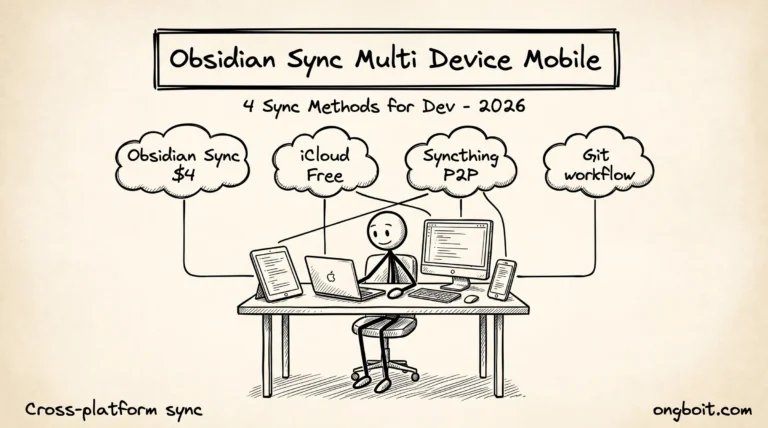
Bốn, Cross-platform Windows/Mac/Linux/iOS/Android. Developer phổ biến dùng Windows + iPhone (cross-platform pain với Apple-only tools). Obsidian native trên cả 5 platform. Sync giữa các platform qua Obsidian Sync $4/tháng hoặc free Syncthing/Git theo bài sync mobile workflow.
Năm, AI-ready cho 2026. Workflow developer với Claude Code đang rộ lên. Obsidian + Claude Code tạo personal AI knowledge base mạnh mẽ, pillar bài này cover chi tiết. Notion AI bị locked vào ecosystem, không bring-your-own-AI được. Developer thường có constraint về API cost (USD prepaid card khó), Obsidian + Claude Pro $20/tháng manageable hơn nhiều enterprise tools khác.
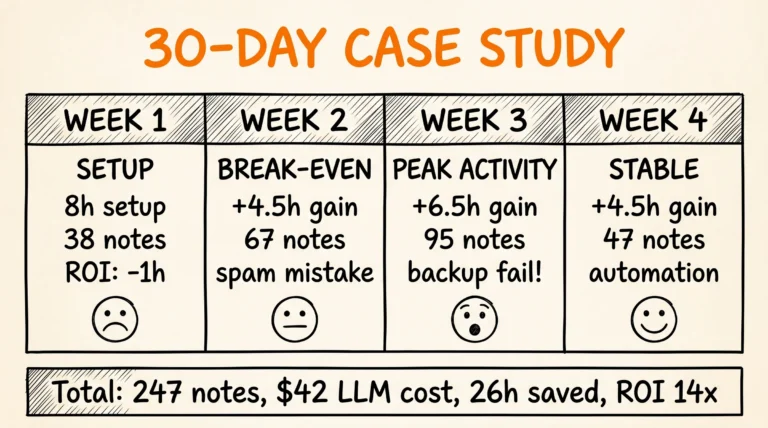
Sau 1 năm dùng Obsidian (vault 300 notes, 6 tháng integrate Claude Code), mình đo được benefit cụ thể. Thời gian research giảm 60% (Claude pull từ wiki thay vì Google search lại). Quality content blog cải thiện rõ rệt vì có wiki của bản thân làm reference. Cost tổng cộng năm 2025: 0 USD (Obsidian free + chưa cần Sync). Năm 2026: $48 Sync = $4/tháng. Compare với Notion team $144/year/user, savings là 67%.
Khi Nào KHÔNG Nên Dùng Obsidian?
Obsidian không phải universal solution. Có 4 trường hợp cụ thể mà Obsidian underperform tools khác. Bốn case này quan trọng để bạn không pick wrong tool.
Một, real-time team collaboration cần co-editing đồng thời. Obsidian không có co-editing built-in. Plugin Sync cho phép multi-user nhưng conflict thường xuyên với 3+ người cùng edit cùng file. Notion native real-time co-editing, đó là nơi Notion thắng tuyệt đối.
Hai, structured database làm task tracking phức tạp. Obsidian Bases (2026 release) cải thiện đáng kể nhưng vẫn không bằng Notion native databases. Nếu bạn cần Kanban board, Gantt chart, complex relations giữa tables, Notion hoặc Airtable phù hợp hơn.
Ba, non-technical user không quen markdown. Obsidian có learning curve cao hơn Notion vì user phải học markdown syntax (mặc dù Obsidian có Live Preview hiện tại). Notion WYSIWYG editor familiar với Word/Google Docs user. Đối với team mixed kỹ thuật và non-tech, Notion adoption dễ hơn.
Bốn, mobile-first workflow. Obsidian mobile (iOS/Android) hoạt động tốt nhưng UI design cho desktop trước, mobile sau. Một số plugin hoạt động limited trên mobile. Notion mobile UX tốt hơn rõ rệt. Nếu 80% workflow trên phone, Notion lựa chọn ổn hơn.
Quy tắc chọn nhanh: nếu bạn là solo dev/researcher/blogger value data ownership và willing học markdown, Obsidian. Nếu bạn là team 5+ người cần real-time collab và non-tech user share workspace, Notion. Cả hai có thể coexist: mình dùng Obsidian cho personal, Notion cho team docs công ty.
Obsidian Kết Hợp Với Claude Code Có Lợi Gì?
Kết hợp Obsidian với Claude Code biến vault thành AI-powered second brain. Claude Code đọc và ghi file markdown trực tiếp, không cần API integration phức tạp. Pillar Obsidian + Claude Code cover 5 cách kết nối từ đơn giản (terminal trong vault) đến nâng cao (MCP server + 11 skills plugin).
Sau khi setup combo này, 4 use case xuất hiện naturally. Một, research compound: bạn ingest article + transcript vào vault, Claude tự build wiki có cross-references. Hai, daily journal với AI-generated weekly review tự động. Ba, blog draft generation từ wiki có sẵn (như bài này được viết qua workflow đó). Bốn, knowledge query: hỏi “mình đã research gì về MCP trong 2 tháng qua” và Claude trả lời với citations cụ thể từ wiki.
Bài 3-layer architecture deep-dive giải thích kiến trúc raw/wiki/CLAUDE.md hoạt động ra sao. Karpathy LLM Wiki story cover lý do pattern viral và các framework triển khai. Bốn bài này gộp lại form full picture của Obsidian + Claude Code workflow 2026.
Câu Hỏi Thường Gặp
Obsidian có miễn phí thật không?
Có, core app miễn phí trọn đời cho personal use. Add-on optional có phí: Obsidian Sync $4/tháng (cross-device sync), Obsidian Publish $8/tháng (publish vault công khai), Catalyst license $25-50 một lần (early access features + supporter badge). Bạn không cần bất kỳ paid feature nào để dùng Obsidian fully functional.
Obsidian có chạy được trên Linux không?
Có, Obsidian native trên Windows, Mac, Linux, iOS, Android. Linux có .deb (Debian/Ubuntu), .rpm (Fedora), .AppImage, và Snap. Performance tương tự Windows/Mac. Một số developer dùng Linux daily report Obsidian là note-taking app stable nhất họ thử trên Linux.
Vault Obsidian dung lượng bao nhiêu?
Mỗi note markdown trung bình 2-10KB. Vault 1000 notes khoảng 5-10MB tổng. Cộng images embedded có thể lên 100-500MB. Vault 5 năm research thông thường 1-3GB. Obsidian không có limit dung lượng (giới hạn chỉ là dung lượng ổ cứng máy bạn).
Obsidian có search Vietnamese tốt không?
Có. Obsidian dùng full-text search support Unicode, search tiếng Việt full diacritics accurate. Search engine xử lý “lập trình” và “lap trinh” như 2 query khác nhau (case sensitive với diacritics). Recommend luôn search với diacritics đầy đủ để kết quả chính xác.
Có nên migrate từ Notion sang Obsidian không?
Phụ thuộc use case. Nếu bạn 80% personal notes/research, migrate sang Obsidian recommended (data ownership + miễn phí). Nếu bạn 80% team collaboration, giữ Notion. Combo phổ biến: personal Obsidian + team Notion. Migration tools: Notion export ra markdown bulk, copy vào vault Obsidian. Process khoảng 30 phút cho vault 500 notes.
Plugin nào nên cài đầu tiên?
Recommend 5 plugin core: Templater (template engine), Dataview (database queries), Obsidian Git (version control), Calendar (daily notes navigation), Excalidraw (sketching). Bài 12 plugin must-have cover detailed setup. Cài 5 plugin trên rồi dần expand.
Bạn Bắt Đầu Học Obsidian Từ Đâu?
Bắt đầu với cài đặt Obsidian 5 phút và tạo vault đầu tiên. Cluster Obsidian + Claude Code của ongboit gồm các bài: Obsidian + Claude Code pillar (overview integration), PARA folder structure (cách tổ chức vault), CLAUDE.md 5 templates (config schema), và bài này (concept overview).
Sau 1 tuần dùng Obsidian basic (tạo note, link, search), thử thêm 5 plugin core ở câu hỏi trên. Tuần thứ 2 setup Claude Code integration theo pillar. Tuần thứ 3-4 explore advanced workflow như Karpathy LLM Wiki pattern hoặc daily notes workflow.
Đừng cố master mọi feature từ đầu. Obsidian có hàng trăm tính năng, developer thông thường chỉ dùng 20-30 tính năng cốt lõi sau 1 năm. Focus core workflow của bản thân, ignore phần không phù hợp.
Obsidian community size 2026: ~1.5M monthly active user (estimate Fueler Obsidian Statistics 2026), 110,000+ Discord members, 2,000+ community plugin. Obsidian (công ty) đạt $2M ARR với 18-person team trong 2025 (theo Getlatka profile). Mô hình bootstrapped không VC, tương phản với Notion VC-funded $10B valuation. Bootstrapped sustainability có nghĩa là Obsidian không bị pressure raise price hoặc add feature ngược user interest. Cho developer commit knowledge investment 5-10 năm, đây là proof point quan trọng.